




Getting Started with
Unit Trusts


Open Your CAL Online Account
Apply in minutes with our simple online registration process
Download the CAL Online app from the Apple App Store or Google Play , or visit portal.cal.lk .
Select Sign Up to begin creating your CAL Online account.
Register using your NIC, mobile number, and email address.
Open Your Account
Get started in minutes with our simple online registration process
Getting Started
Go to your Dashboard and view the Unit Trust widget.
Click "Sign Up" and complete the Unit Trust application form.
Submit your application for review and approval.
Sign Up for Your Unit Trust Account


Getting Started
Go to your Dashboard and view the Unit Trust widget.
Click "Sign Up" and complete the Unit Trust application form.
Submit your application for review and approval.
Sign Up for Your Unit Trust Account
Getting Started
Go to your Dashboard and view the Unit Trust widget.
Click "Sign Up" and complete the Unit Trust application form.
Submit your application for review and approval.
Which fund to invest in
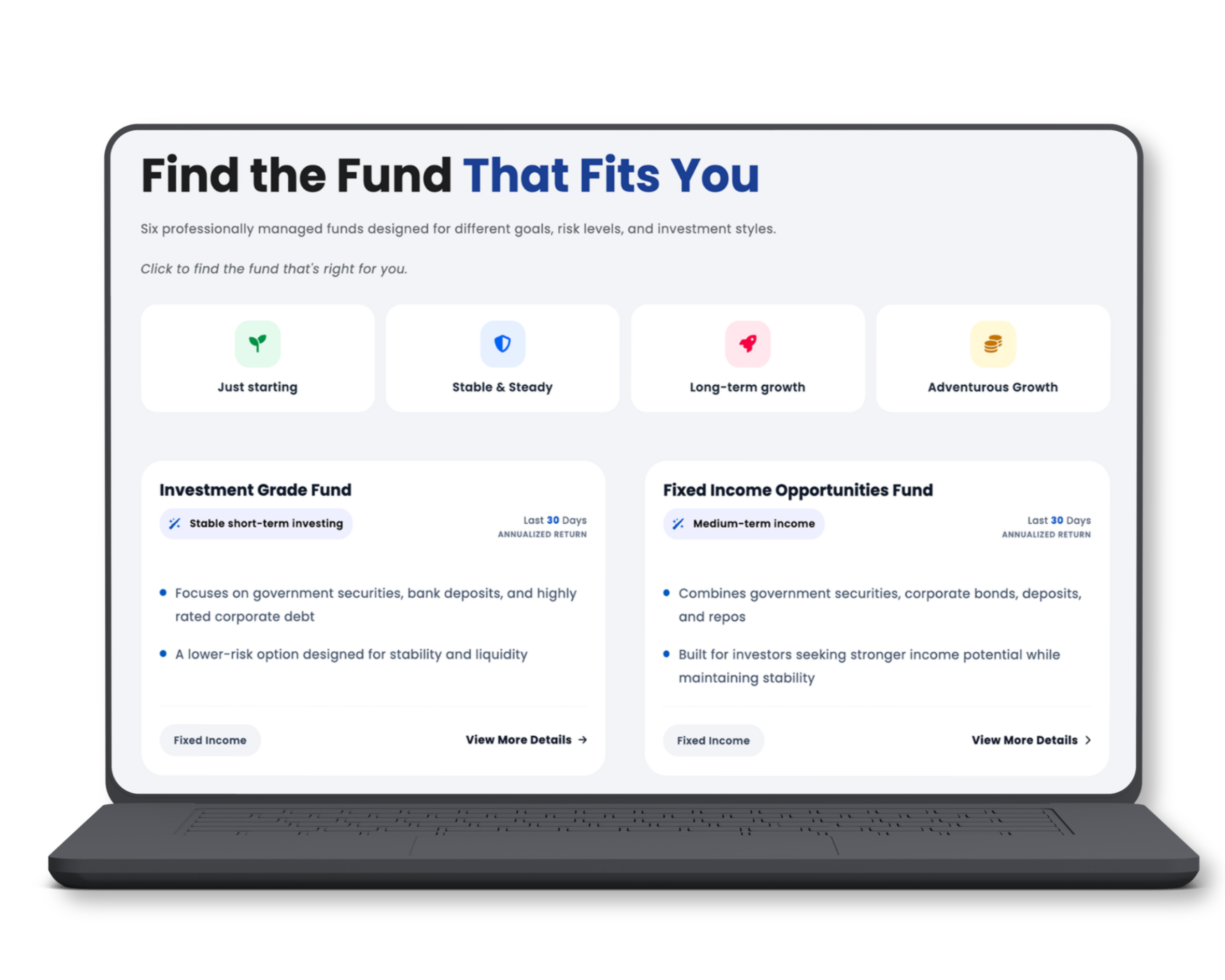
CAL Funds provides professionally managed investment solutions tailored to different financial goals and risk profiles. Backed by experienced fund managers and disciplined investment strategies, our funds help investors build wealth while maintaining a strong focus on transparency, diversification, and long-term value creation.


How to Make Your First Investment
Choose your preferred funding method and start investing today
Bank Transfer
Transfer Details:
Bank: Deutsche Bank AG, Colombo
Account Name: Capital Alliance Investments Limited
Account No: 0046797000
Transfer funds from your registered bank account
Log in to the CAL portal or mobile app
Go to Create/Invest > Create Units
Submit a creation request with transfer details
Step-by-step guide with visuals on how to make your transfer: Mobile App / Web App


Transfer and Create- For Direct Investment with (JustPay)
Use CAL Online to transfer funds directly from your bank account.
No banking app required.
Fund your investment in one seamless step.
No proof upload needed.
Up to LKR 150,000 per transaction (repeatable).
Log in to the CAL portal or mobile app
Go to Create/Invest > Transfer And Create
Submit the request - Justpay will be activated
How to Make Your First Investment
Choose your preferred funding method and start investing today
Bank Transfer
Transfer Details:
Bank: Deutsche Bank AG, Colombo
Account Name: Capital Alliance Investments Limited
Account No: 0046797000
Transfer funds from your registered bank account
Log in to the CAL portal or mobile app
Go to Create/Invest > Create Units
Submit a creation request with transfer details
Step-by-step guide with visuals on how to make your transfer: Mobile App / Web App
Transfer and Create- For Direct Investment with (JustPay)
Use CAL Online to transfer funds directly from your bank account.
No banking app required.
Fund your investment in one seamless step.
No proof upload needed.
Up to LKR 150,000 per transaction (repeatable).
Log in to the CAL portal or mobile appy
Go to Create/Invest > Transfer And Create
Submit the request - Justpay will be activated


Track Your Portfolio
Monitor your investments in real-time with our intuitive dashboard
Access your personalized dashboard to track earnings, view performance metrics, and monitor your investment growth daily.
Real-time Performance
Detailed Analytics
Transaction History
Track Your Portfolio
Monitor your investments in real-time with our intuitive dashboard
Access your personalized dashboard to track earnings, view performance metrics, and monitor your investment growth daily.
Real-time Performance
Detailed Analytics
Transaction History


How to Redeem Your Investment
Access your money when you need it with our flexible redemption options
Instant Redemption
Log in to the CAL portal or mobile app
Navigate to redemption section
Fill in redemption amount and details
Submit request


Normal Redemption
Perfect for planned withdrawals with no amount restrictions
Log in to the CAL portal or mobile app
Navigate to redemption section
Fill in redemption amount and details
Submit request
How to Redeem Your Investment
Access your money when you need it with our flexible redemption options
Instant Redemption
Get your money immediately
Available for redemptions under LKR 100,000
Log in to the CAL portal or mobile app
Navigate to redemption section
Fill in redemption amount and details
Submit request
Standard Redemption
Receive funds the next working day, Perfect for planned withdrawals with no amount restrictions
Log in to the CAL portal or mobile app
Navigate to redemption section
Fill in redemption amount and details
Submit request and receive funds next working day
Need More Help?
Have questions about any of the steps above? Chat with the CAL UT Chatbot for instant answers, detailed guidance, and Unit Trust support.

 Find Us on Maps