




Getting Started with
Equities


Open Your CAL Online Account
Apply in minutes with our simple online registration process
Download the CAL Online app from the Apple App Store or Google Play , or visit portal.cal.lk .
Select Sign Up to begin creating your CAL Online account.
Register using your NIC, mobile number, and email address.


Sign Up for Your Equity Account
Getting Started
Go to your Dashboard and view the Equity widget.
Click "Sign Up" and complete the Unit Trust application form.
Submit your application for review and approval.


Open Your CAL Online Account
Apply in minutes with our simple online registration process
Download the CAL Online app from the Apple App Store or Google Play , or visit portal.cal.lk .
Select Sign Up to begin creating your CAL Online account.
Register using your NIC, mobile number, and email address.
Sign Up for Your Equity Account
Getting Started
Go to your Dashboard and view the Equity widget.
Click "Sign Up" and complete the Unit Trust application form.
Submit your application for review and approval.


Fund Your Account (Pay In)
Bank Transfer and Raise Request
Transfer Details:
Bank: Seylan Bank
Branch: Millennium Branch
Account Name: Capital Alliance Securities (Pvt) Ltd
Account Number: 086400041489001
Transfer funds from your registered bank account
Log in to CAL Online mobile or web app
Go to Equities → Pay In
Submit your Pay in Request


Transfer and Pay in- For Direct Investment with (JustPay)
Use CAL Online to transfer funds directly from your bank account.
No banking app required.
Fund your investment in one seamless step.
No proof upload needed.
Up to LKR 150,000 per transaction (repeatable).
Log in to CAL Online mobile or web app
Go to Pay In → Select your preferred payment method
Transfer funds from your linked bank account
No payment proof is required
Up to LKR 150,000 per transaction (multiple transactions allowed)
Fund Your Account (Pay In)
Bank Transfer and Raise Request


Transfer Details:
Bank: Seylan Bank
Branch: Millennium Branch
Account Name: Capital Alliance Securities (Pvt) Ltd
Account Number: 086400041489001
Transfer funds from your registered bank account
Log in to CAL Online mobile or web app
Go to Equities → Pay In
Submit your Pay in Request
Transfer and Create- For Direct Investment with (JustPay)

Use CAL Online to transfer funds directly from your bank account.
No banking app required.
Fund your investment in one seamless step.
No proof upload needed.
Up to LKR 150,000 per transaction (repeatable).
Log in to CAL Online mobile or web app
Go to Pay In → Select your preferred payment method
Transfer funds from your linked bank account
No payment proof is required
Up to LKR 150,000 per transaction (multiple transactions allowed)
Find Your First Stock
Bank Transfer and Raise Request

Not sure where to start? Find stocks suited to your investing style with our Investor Hero Quiz and discover opportunities in today's market.
Practice Before You Invest – Build confidence before investing real money. Use VStock, our virtual trading simulator, to practice buying and selling shares using live market prices, without any financial risk.
Find Your First Stock
Not sure where to start? Find stocks suited to your investing style with our Investor Hero Quiz and discover opportunities in today's market.
Practice Before You Invest – Build confidence before investing real money. Use VStock, our virtual trading simulator, to practice buying and selling shares using live market prices, without any financial risk.

Insight at Your Fingertips
Access CAL’s market research, insights, and tools. Everything you need to move from market information to investment decisions.
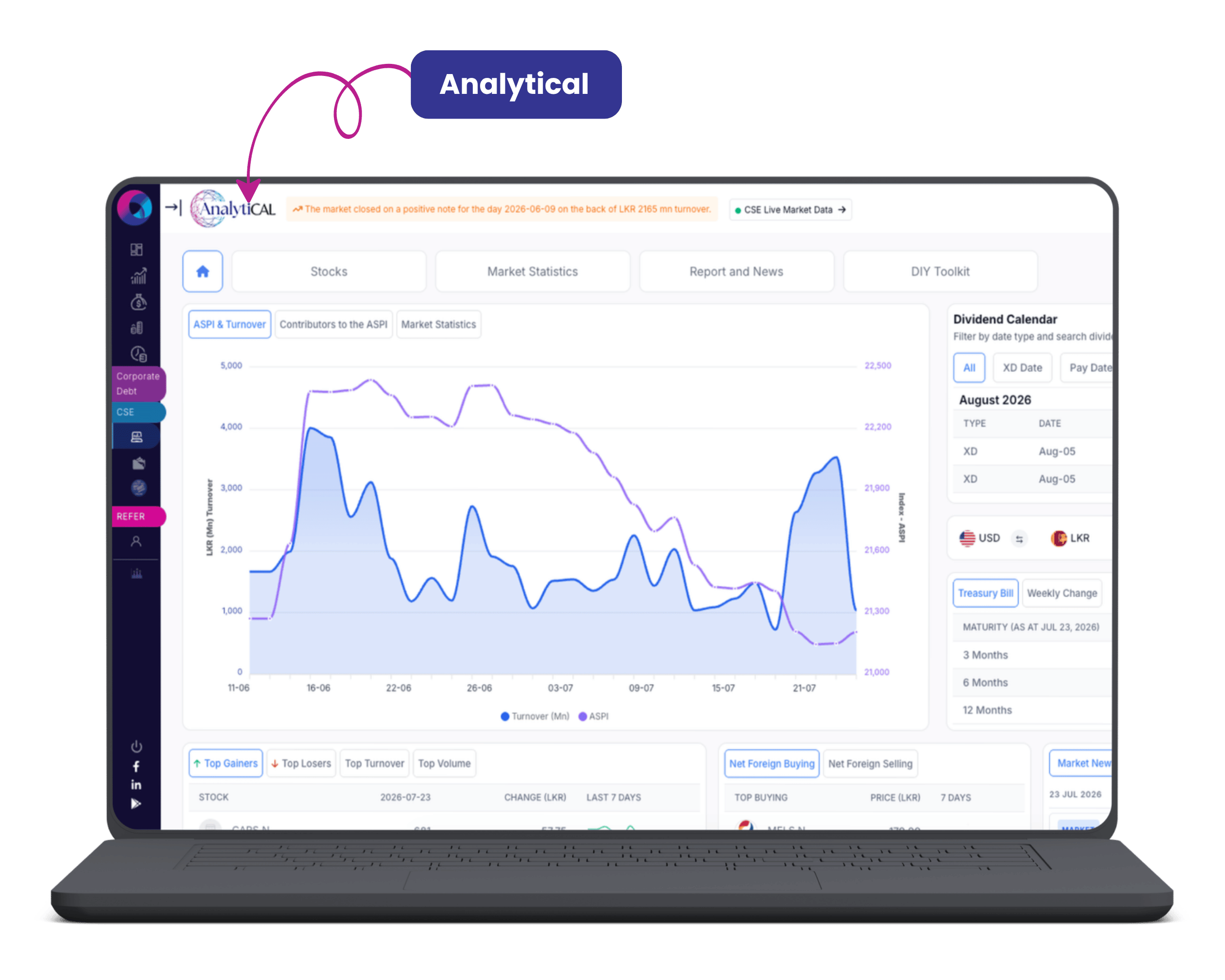
AnalytiCAL – Research, valuations, market data, and stock metrics.
Research Reports – Expert market and company analysis.
WhatsApp Updates – Timely market insights delivered to you.
VStock Simulator – Practice trading with live market prices.
Market Alerts – Never miss important market movements.
Personalised Price Alerts – Track stocks with custom price notifications.
Insight at Your Fingertips
Access CAL’s market research, insights, and tools. Everything you need to move from market information to investment decisions.
AnalytiCAL – Research, valuations, market data, and stock metrics.
Research Reports – Expert market and company analysis.
WhatsApp Updates – Timely market insights delivered to you.
VStock Simulator – Practice trading with live market prices.
Market Alerts – Never miss important market movements.
Personalised Price Alerts – Track stocks with custom price notifications.


Place Your First Trade
Once your account is funded:
Log in to ATRAD
Search for your preferred share
Enter your order
Review and submit your trade


Track Your Portfolio
Monitor your investments anytime through CAL Online.
Portfolio performance and investment value.
Holdings across all asset classes in one place.
Investment analytics and insights.
Market research and reports.
Transaction history.
Real-time portfolio updates.

Withdraw Funds (Pay Out)
Log in to CAL Online
Navigate to Equities → Pay Out
Enter the withdrawal amount
Submit your request
Place Your First Trade
Once your account is funded:


Log in to ATRAD
Search for your preferred share
Enter your order
Review and submit your trade
Track Your Portfolio
Monitor your investments anytime through CAL Online.


Portfolio performance and investment value.
Holdings across all asset classes in one place.
Investment analytics and insights.
Market research and reports.
Transaction history.
Real-time portfolio updates.
Withdraw Funds (Pay Out)


Log in to CAL Online
Navigate to Equities → Pay Out
Enter the withdrawal amount
Submit your request
Need More Help?
Have questions about any of the steps above? Chat with the CAL UT Chatbot for instant answers, detailed guidance, and Unit Trust support.

 Find Us on Maps